Mastering the Basics
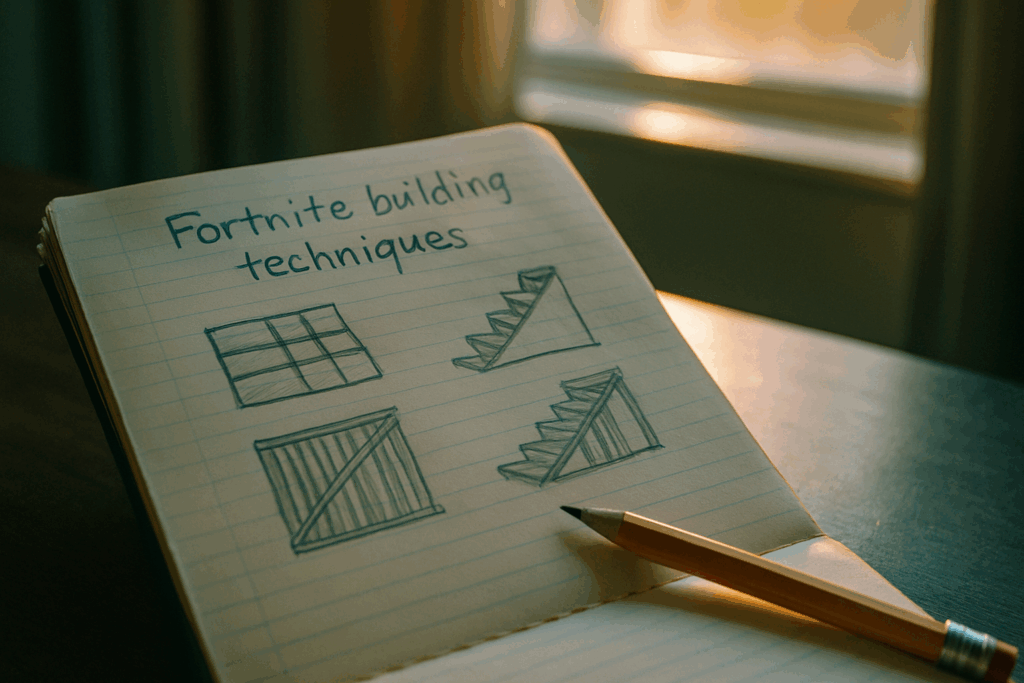
Creative Mode isn’t just Battle Royale with more legroom. If you want to build like a pro, you start with the fundamentals and that means knowing your way around the core controls. Flight, copy paste, rotation tweaks, phase mode, grid snapping get fluent. Assign hotkeys that make sense to you and build muscle memory around them. The faster you make the map react to you, the faster your ideas come to life.
Then there’s the mindset shift. Battle Royale building is about fight or die speed. In Creative, it’s about design logic. Layouts matter. Flow matters. You’re less worried about getting shot and more focused on what the player sees, where they go, and how a space feels. Respect that difference, or your maps will feel off.
Don’t sleep on scale and limits either. Every map exists in a constrained sandbox. You’ve got a finite amount of space and a not so generous memory budget. Smart builders plan around both. Start with a sketch or wireframe. Leave room for devices later. Keep compositions tight large open spaces usually waste memory and feel empty.
Bottom line: good building is part art, part discipline. Master the small stuff now, and everything ahead gets easier.
For deeper techniques, hit the Ultimate Guide to Building in Fortnite Creative Mode.
Structural Algorithms That Work
Good structures in Fortnite Creative aren’t just cool they’re functional. At the core, every solid build nails the trio: flow, utility, and aesthetic. Flow is how players move through it; if it feels clunky or too open, people won’t stay engaged. Utility is about purpose does your building offer cover, challenge, or just filler space? And aesthetic matters more than you think. Clean lines, color balance, and shape variety keep players interested without overwhelming them.
Symmetry can be your best friend used right, it adds polish fast. Reflecting elements across central axes gives your space that intentional look. Combine that with modular patterns (chunks of repeating design elements) and you’ve got a layout system that saves time and looks professional.
Terrain and verticality aren’t just decoration. Elevation changes make movement fun and create natural chokepoints, sightlines, or hidden areas. Use cliffs, ramps, and platforms not just as landscape, but as walls, floors, and ceilings in disguise.
And don’t skip pre planning. Use grid snapping to keep builds clean and connected. Ghost builds (laying elements before finalizing them) help you visualize space without placing blindly. These tools are there for a reason use them to speed up your workflow without sacrificing quality.
Efficiency Builds: Speed Without the Slop

In Fortnite Creative Mode, time matters especially when you’re on a deadline or trying to ride the hype wave. That’s where efficiency builds come in. The goal: build fast without sacrificing polish.
First, hotkeys. If you’re still dragging menus open manually, you’re already behind. Custom keybinds for commonly used assets, rotating objects, or swapping between build and edit mode can shave off hours over the life of a project. The build menu isn’t your enemy wasting time in it is.
Next up: templates versus custom. Templates are lifesavers for repeatable structures think spawn points, tunnels, or parkour tiles. But in time sensitive builds like trending mini games, too much templating can make maps feel stale. Strike a balance: use templates to knock out the skeleton, then layer custom builds for personality and depth.
And don’t sleep on copy paste hacks. Most creators underuse the multi select + copy feature. Got a great starting area? Duplicate it and tweak the details. Building a multi level arena? Copy one floor’s layout and modify as needed. It’s not cheating it’s smart design.
Want a deeper breakdown of tools and shortcuts? Check out these Fortnite building tips. Speed doesn’t mean sloppy. It means working like you’ve done it before.
Game Mechanics and Logic Systems
Fortnite Creative isn’t just a sandbox it’s a logic engine if you know how to work it. Triggers, sequencers, and channels aren’t just tools; they’re the backbone of any polished map. Misuse them and things get messy. Use them with purpose, and you’ve got the bones of a system players will actually trust and enjoy.
Start with the basics: triggers can activate anything, but don’t flood your map with them. Use them sparingly for meaningful moments like doors unlocking after collecting an item, or starting a timer for a hidden challenge. Sequencers? Think of them as controlled chaos they’re great for timing multi step traps, environmental hazards, or in game events with weight. Just keep it tight. If things feel random, players check out.
Channels are how you tie it all together. Assign each device a clear channel number or name, and keep a sheet tracking what connects to what. This is non negotiable on larger builds it stops your map from spiraling into unfixable bugs or infinite loops.
Creative placements make these mechanics shine. Build skill tests with resettable puzzles trip one trigger wrong and the challenge resets. Or set up layered traps that only fire if players take a wrong step, not just if they get close. The goal is clarity: players should feel challenged but never confused.
Finally, be careful with device chains. Overcomplicating them tanks your map’s performance, especially if you’re chaining five triggers deep just to make a button work. Keep logic clean. Test each segment. If something breaks, isolate it fast. Efficiency here separates a map that runs buttery smooth from one that drags or glitches mid fight.
Smart logic feels invisible. Put in the work so all the magic happens under the surface and your players only see the fun.
Competitive and Showcase Mapping Styles
Build for Performance First
Creating an eye catching map is important but if it doesn’t run well, players won’t stick around. Performance should be a top priority when designing in Fortnite Creative.
Here are proven tips for low lag, high fun builds:
Use fewer particle or animated effects: These look flashy but can bog down gameplay.
Simplify props and decorations in high traffic areas: Too many assets in a single location increase render load.
Control interactive devices: Triggers, sequencers, and timers can stack fast. Group them properly and disable when unused.
Test across platforms: What runs smoothly on PC may lag on consoles. Always test on multiple devices whenever possible.
Island Types That Attract Attention
Not all creative maps are built equally. Certain formats consistently perform better among players and draw more traffic.
Popular formats include:
Mini games: Quick, replayable formats are ideal for short sessions. Think speed rounds, simple mechanics, and fun visuals.
1v1 Arenas: Competitive players love clean, fair environments. Focus on symmetry, open sightlines, and quick respawns.
Adventure Story Maps: Offer layered objectives and narrative elements. Include custom text devices, quest triggers, and themed visuals for added immersion.
Strategies to stand out:
Stick with a theme don’t mix aesthetics without a reason.
Balance gameplay challenge with accessibility so casual players don’t feel lost.
Highlight the best moments early hook the player in the first minute.
Shareability and Discoverability on the Hub
Designing the map is only half the job. Getting it seen is equally critical. To boost traffic from the Fortnite Discovery tab and Creative Hub:
Optimize your island’s metadata and layout:
Clear Title & Description: Name the experience clearly and describe what makes it unique in simple, direct language.
Custom Thumbnails: A high quality image preview increases click through from browsing players.
Good Spawn Experience: Put effort into how players are introduced. A polished entry space can make or break the first impression.
Categories Matter: Tag your map correctly if it’s a puzzle or shooter, match the right genre tag.
Regular Updates = Higher Visibility
Fresh content rises faster; even small changes can refresh how the algorithm treats your island.
By combining smooth performance, creator savvy map types, and smart promotion techniques, your work will stand out in Fortnite Creative’s ever expanding universe.
Final Pro Tips
Don’t build in a bubble. One of the fastest ways to improve is to test your island regularly with friends who aren’t afraid to be blunt. A fresh set of eyes will catch what you missed broken spawns, confusing paths, or logic that doesn’t actually work under pressure. The goal: real feedback, not empty hype.
Second, treat your saves like checkpoints in a tough game. Incremental saves protect you from that one mistake that tanks an entire build. Something breaks after a test? Roll back. Want to try a risky redesign? Spin off a version. Simple habit, massive impact.
Lastly, plug into the wider creator scene. Join Discord servers, forums, or group chats focused on Fortnite Creative. That’s where you hear about device updates, feature changes, and emerging build styles. It’s also how collabs happen and collabs are fuel. Even one connection can push your projects from decent to unforgettable.

 There is a specific skill involved in explaining something clearly — one that is completely separate from actually knowing the subject. Richarden Robbinsitters has both. They has spent years working with latest gaming news in a hands-on capacity, and an equal amount of time figuring out how to translate that experience into writing that people with different backgrounds can actually absorb and use.
Richarden tends to approach complex subjects — Latest Gaming News, Expert Insights, Player Strategy Guides being good examples — by starting with what the reader already knows, then building outward from there rather than dropping them in the deep end. It sounds like a small thing. In practice it makes a significant difference in whether someone finishes the article or abandons it halfway through. They is also good at knowing when to stop — a surprisingly underrated skill. Some writers bury useful information under so many caveats and qualifications that the point disappears. Richarden knows where the point is and gets there without too many detours.
The practical effect of all this is that people who read Richarden's work tend to come away actually capable of doing something with it. Not just vaguely informed — actually capable. For a writer working in latest gaming news, that is probably the best possible outcome, and it's the standard Richarden holds they's own work to.
There is a specific skill involved in explaining something clearly — one that is completely separate from actually knowing the subject. Richarden Robbinsitters has both. They has spent years working with latest gaming news in a hands-on capacity, and an equal amount of time figuring out how to translate that experience into writing that people with different backgrounds can actually absorb and use.
Richarden tends to approach complex subjects — Latest Gaming News, Expert Insights, Player Strategy Guides being good examples — by starting with what the reader already knows, then building outward from there rather than dropping them in the deep end. It sounds like a small thing. In practice it makes a significant difference in whether someone finishes the article or abandons it halfway through. They is also good at knowing when to stop — a surprisingly underrated skill. Some writers bury useful information under so many caveats and qualifications that the point disappears. Richarden knows where the point is and gets there without too many detours.
The practical effect of all this is that people who read Richarden's work tend to come away actually capable of doing something with it. Not just vaguely informed — actually capable. For a writer working in latest gaming news, that is probably the best possible outcome, and it's the standard Richarden holds they's own work to.